How a Caption Phone Fits Into Everyday Life: A Complete Guide to Staying Connected
Key Takeaways
- A caption phone for seniors displays every word your caller says on a large, easy-to-read screen.
- Caption phones work just like a regular home telephone and are made for people with hearing loss.
- Helpful features like caption phone voicemail, a call log with saved captions, and large text make staying in touch easier every day.
- ClearCaptions is available at no cost to eligible individuals through a federally managed program under the Americans with Disabilities Act.
- A home internet connection is required to use a caption phone service.
What Does a Caption Phone Do?
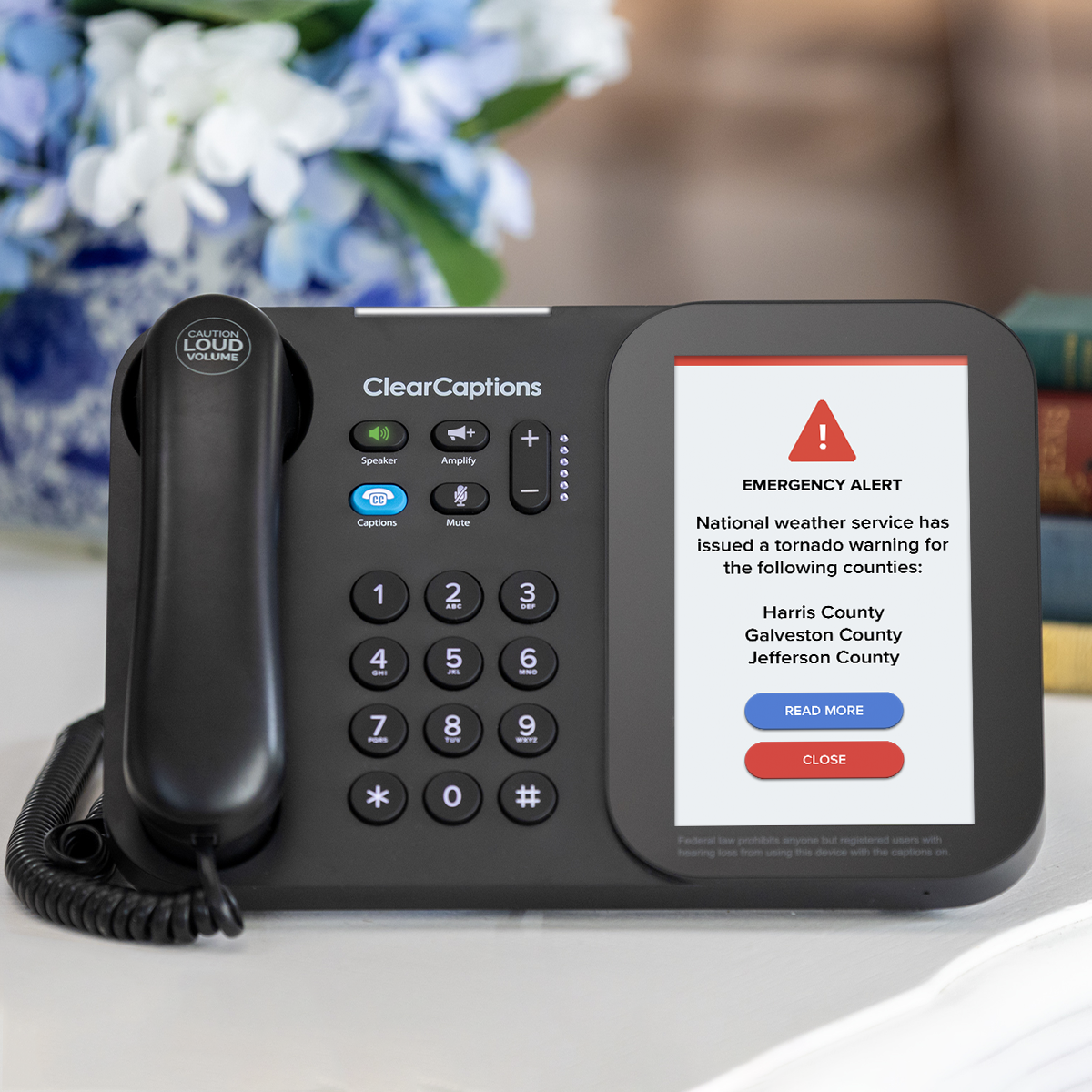
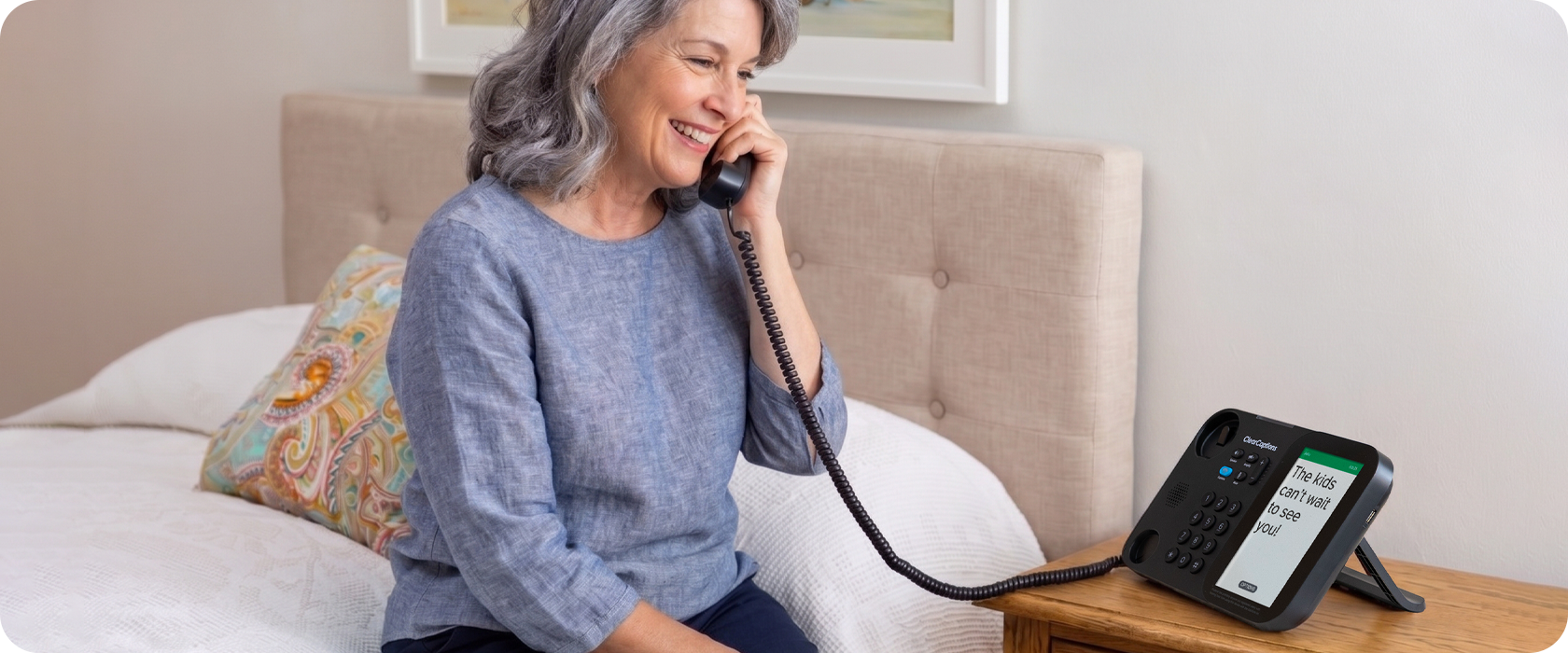
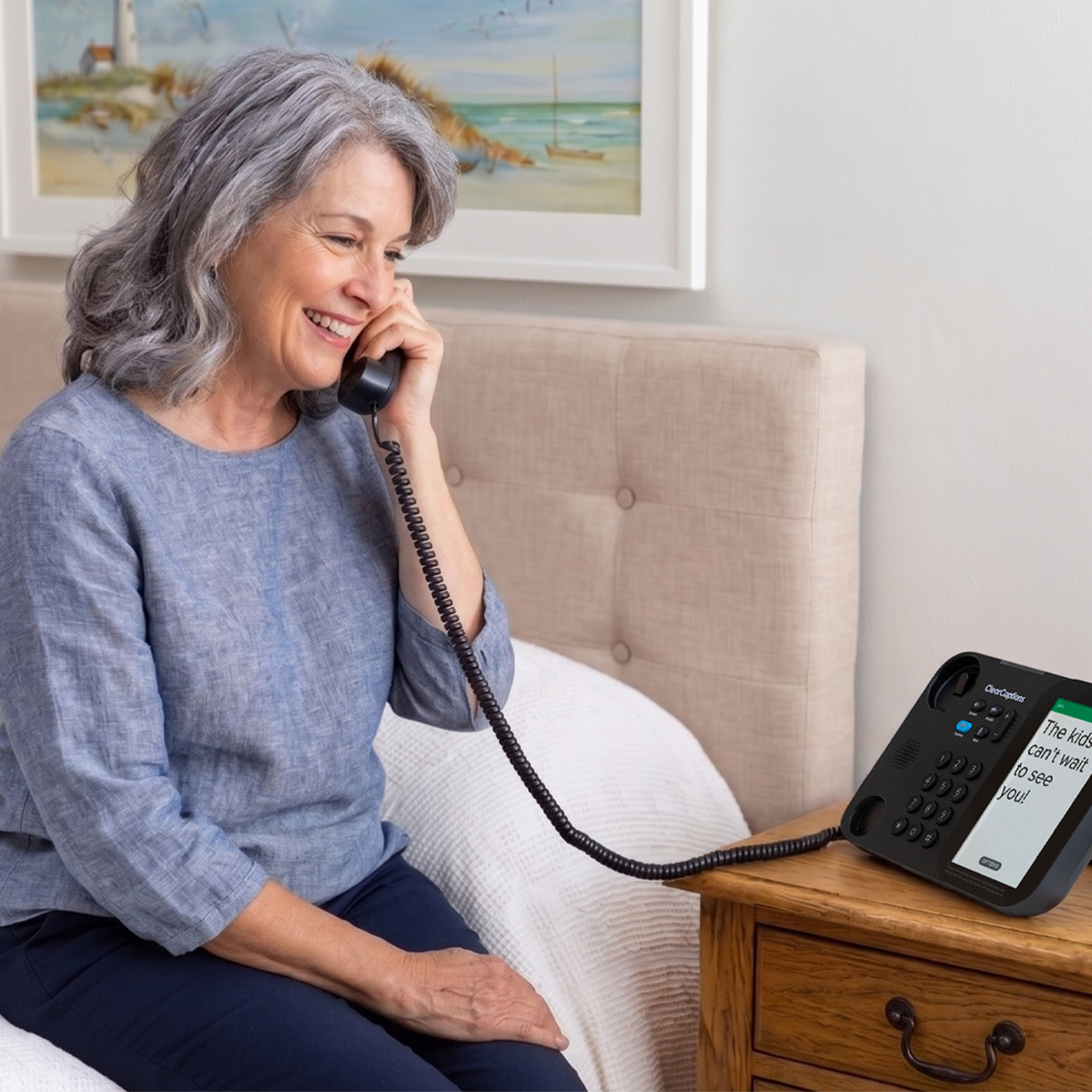
So, what does a caption phone do? A caption phone lets people with hearing loss read every word their caller says during a phone call. It works like a regular home telephone, but it has a built-in screen that shows the words as the other person speaks. That way, nothing gets missed.
As your caller speaks, their words appear on the screen. If you miss something, you can look down and catch up right away. The whole conversation stays within reach. No more asking people to repeat themselves over and over.
Caption phones are built specifically for people with hearing loss. Every part of the design, from the large touchscreen to the easy-to-read text, is made with your needs in mind.
The ClearCaptions Phone and its call captioning service is available at no cost to qualified individuals. If you have hearing loss that makes phone calls difficult, live in the United States or one of its territories, communicate in English, and have home internet, you qualify for ClearCaptions at no cost to you. There are no contracts to sign and no hidden fees.
How Does a Caption Phone Help Me?
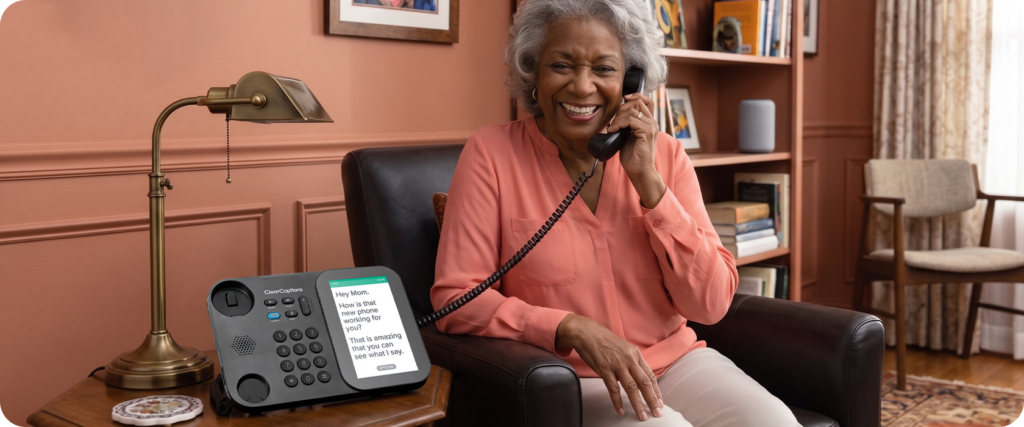
For many people living with hearing loss, phone calls start to feel like too much work. You concentrate hard, miss words anyway, and sometimes just stop calling altogether. That takes a real toll over time.
A caption phone for seniors changes that. Here is what customers say it means for them:
- Independence. You can make and receive calls on your own, without needing someone nearby to help. Call your doctor, your pharmacy, or your family whenever you need to.
- Clarity. Reading the words on screen while you listen fills in the gaps. You stop guessing and start following the full conversation.
- Safety. When you need to reach 911, a family member, or a medical provider in an urgent situation, a caption phone makes sure you catch every word. That matters most when the stakes are highest.
- Confidence. Knowing you will understand what your caller says changes everything. Many customers say they feel like themselves on the phone again.
- Connection. Regular calls with family and friends are good for your health and your happiness. A caption phone takes away the barrier that makes those calls feel too hard.
For older adults, these benefits add up quickly. Staying in touch with loved ones helps prevent loneliness. Clear calls with doctors lead to better care. Handling your own calls supports your independence at home.
How Does a Caption Phone Work?
You do not need to be a tech expert to use a caption phone. Here is a simple explanation of how a caption phone works.
When you make or receive a call, your caller’s voice is sent through a system that turns their spoken words into text. Those words then appear on your phone’s screen so you can read them during the call. You hear your caller’s voice through the handset or speaker at the same time.
One important thing to know: a caption phone requires a home internet connection to work. This is how the words get sent to your screen during a call. A regular home internet connection is all you need. All ClearCaptions customers receive free in-home phone setup, which means a ClearCaptions specialist will set up your phone and make sure everything is working properly before they leave your home.
The phone itself feels familiar. You dial a number, answer calls, and reach your contacts the same way you would on any home phone. The captions appear on their own with every call.
Practical Tips: How to Use a Caption Phone Daily
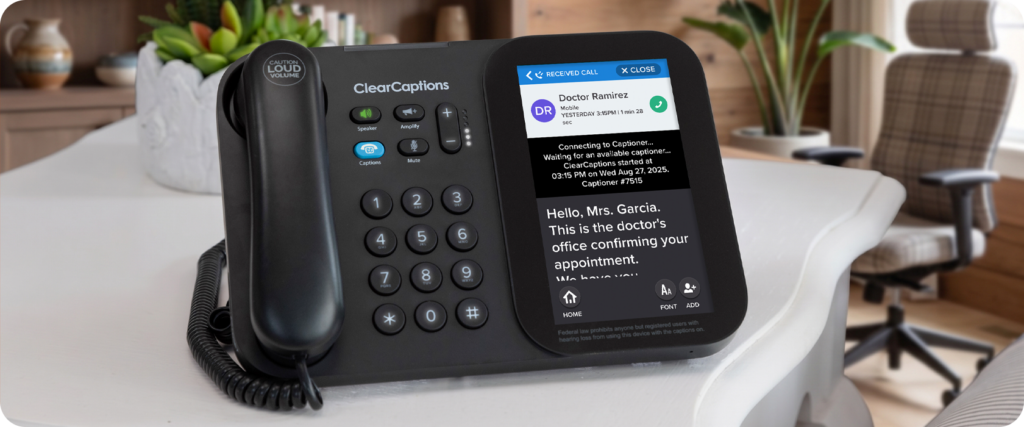
Learning how to use a caption phone is easier than you might think. Once your phone is set up, using it every day feels natural. These simple tips will help you get the most out of every call.
Use your call log to keep track of calls
Your caption phone keeps a list of your recent calls and all their captions. It shows calls you made, calls you received, and calls you missed. If someone calls while you are away from the phone, you can check the call log and call them back. If you want to go back and read the conversations, all captions are saved to your phone for your convenience. It is a simple way to stay on top of who has been in touch and recap what they said.
Save the numbers you call most often
Add the people and places you call often to your contacts list. Your doctor’s office, your pharmacy, your children, your close friends. Having their numbers saved means you can reach them in just a few taps. You can also mark your most-used numbers as favorites for even quicker access.
Use caption phone voicemail to read your messages
Caption phone voicemail is one of the most helpful features for people with hearing loss. Traditional voicemail is hard. Playing a message back several times and still not catching everything can be frustrating. For important messages from a doctor or a pharmacist, it can also feel stressful.
Caption phone voicemail solves this. When someone leaves you a message, the words are displayed as text on your screen, just like they are during the calls you make and receive. You can read the message at your own pace, as many times as you need, without pressing play again and again.
To access your voicemail, go to the voicemail section in your phone’s menu. Your ClearCaptions specialist will walk you through exactly how it works during your setup visit.
Use the speaker for hands-free calls
If you would like to have your hands free while you talk, the built-in speaker lets you set the handset down and still follow the conversation on screen. This is helpful for longer calls or any time you need to take notes or look something up while you talk.
Call us if you ever need help
If anything on your phone feels confusing or stops working the way it should, help is always available. ClearCaptions offers continual support and a lifetime warranty at no additional cost. One call to our team is all it takes to get things sorted out.
Frequently Asked Questions
What does a caption phone do?
A caption phone shows every word your caller says on a screen during your phone call. You can read along while you listen, so you never miss what someone says. It works like a regular home telephone with one important addition: a screen that displays your caller’s words as they speak.
How does a caption phone work?
Your caller’s voice is converted into text and sent to your phone’s screen as they speak. A home internet connection is needed for this to work. A ClearCaptions specialist will confirm everything is set up and ready during your in-home phone set up appointment.
How does a caption phone help me if I have hearing loss?
A caption phone for seniors helps by displaying every word your caller says on screen, so you can read and listen at the same time. This means you can stay connected with family, friends, and healthcare providers without the stress of missing what someone says.
How do I use a caption phone?
Using a caption phone works just like using a regular home telephone. You dial, answer, and talk the same way you always have. The captions appear on screen automatically during every call. No extra steps are needed.
How do I use caption phone voicemail?
When someone leaves you a voicemail, the words appear as text on your screen so you can read the message instead of replaying the audio. Your ClearCaptions specialist will show you how to set up and use caption phone voicemail during your setup appointment.
Who qualifies for a caption phone through ClearCaptions?
ClearCaptions is available at no cost to people in the U.S. who have hearing loss that makes phone calls difficult, have a home internet connection, and communicate in English. You do not need a doctor’s note or any additional documentation.
Does a caption phone work with hearing aids?
Yes. Caption phones work alongside hearing aids. You can use the handset or speaker, whichever feels most comfortable, and the captions are always there as an extra layer of support.
Ready to see the difference for yourself?
Staying connected shouldn’t feel like hard work. If you’re ready to hear and read every word of your conversations again, we’re here to help.
Give us a call at 866-996-1498 to see if you qualify. Our friendly specialists will handle the entire setup for you!